
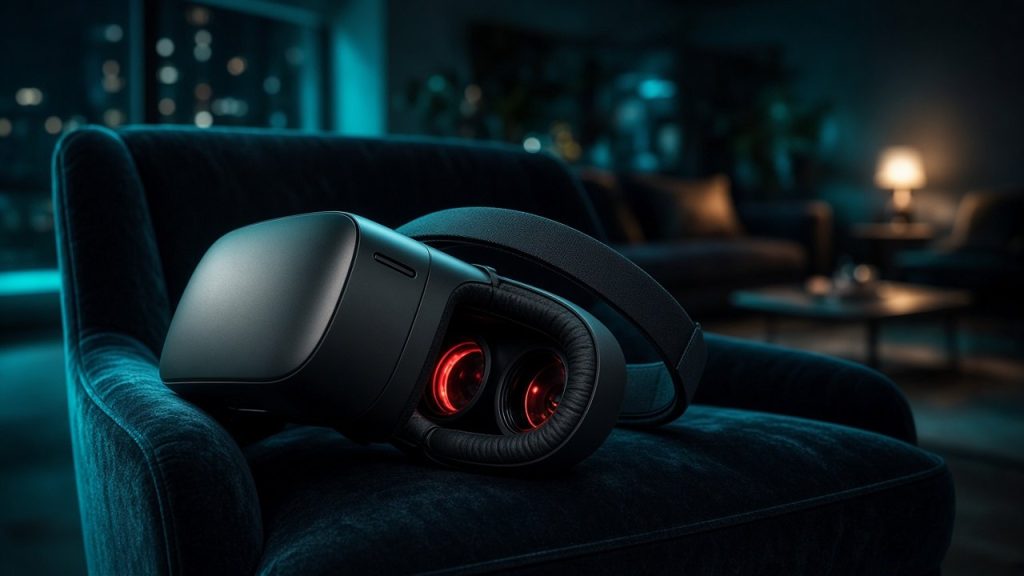
Virtual reality has shifted from an experimental novelty into a mainstream technology, raising expectations for how adults consume live entertainment. When applied to adult cam sites, a headset promises a level of immersion that standard flat screens simply cannot replicate. However, the reality of combining VR hardware with live streaming involves technical bottlenecks, comfort issues, and variable platform support. This guide examines what works well, where the current technology falls short, and how to navigate virtual reality on major adult platforms. The landscape has evolved rapidly over recent years, moving from clunky proofs-of-concept to more refined, albeit still demanding, consumer products. Understanding the underlying infrastructure required to deliver these three-dimensional feeds helps you avoid costly mistakes and wasted subscription fees. Whether you are a seasoned user or completely new to immersive media, evaluating both the hardware and the software ecosystem is crucial for a satisfying experience.
Understanding the VR Cam Landscape
Most mainstream adult platforms now offer varying degrees of virtual reality compatibility, but the user experience depends heavily on the chosen site. Some platforms, such as CamSoda, built their reputations early on by investing heavily in interactive hardware and dedicated virtual reality features. Others rely on standard browser-based stereoscopic feeds that require manual adjustments to lens spacing and resolution settings. Understanding how live cam streaming technology functions is essential before purchasing expensive hardware for your viewing sessions. Not all adult entertainment companies treat virtual reality with the same level of commitment. Some merely offer a flat video player mode inside a simulated virtual cinema, while others provide true 180-degree or 360-degree interactive streams. Navigating this ecosystem requires knowing which platforms support native VR apps versus those that require third-party web browsers, side-loading techniques, or specialized desktop streaming software.
Standalone Headsets Versus PC-Driven Hardware
Standalone headsets offer wireless convenience and quick setup, making them attractive for casual users who want a straightforward experience. However, the internal processors of standalone units often struggle with high-bitrate live video streams, leading to compression artifacts and occasional stuttering. PC-driven headsets connect directly to a powerful computer, delivering superior visual fidelity, higher frame rates, and better stability during long private sessions. If you want crystal-clear detail during a private performance, a wired system remains the superior choice. Standalone units excel in mobility and ease of use, allowing you to quickly boot up a browser or native app without dealing with tangled cables or heavy graphics cards. Yet, live streaming demands continuous data decoding, which can push mobile chipsets to their thermal limits. PC-tethered alternatives leverage dedicated desktop GPUs, ensuring that high-resolution panoramic video feeds render smoothly without inducing the dreaded frame drops that break immersion. Weighing your desire for untethered freedom against your tolerance for visual compression will dictate your final hardware decision.
Browser Compatibility and Streaming Limitations
Viewing a live feed through a headset requires specialized web browsers or dedicated application interfaces provided by the streaming platform. Many sites do not natively support every VR headset model out of the box, forcing users to rely on side-loaded apps or desktop mirroring. Browser limitations can also restrict access to interactive features, chat rooms, and tipping mechanisms while the headset is worn. Before committing to a specific service, it is wise to test how well your hardware integrates with the platform interface. Operating systems inside modern headsets often utilize stripped-down versions of mobile operating systems, which may lack support for certain video codecs or WebGL features. When a platform update changes its streaming protocol, virtual reality browser apps can occasionally break, leaving users stranded until developers push a hotfix. Checking community forums and platform help pages for known browser bugs ensures you do not waste tokens on a show you cannot properly view.
Platforms Leading the VR Integration
Not all live cam services handle virtual reality with the same level of technical competence or content availability. Sites like Stripchat provide dedicated categorization for immersive content, allowing users to filter broadcasts specifically shot with stereoscopic lenses. This makes it much easier to find performers who understand proper camera placement and lighting for three-dimensional viewing. On the other hand, platforms focusing heavily on high-definition traditional broadcasts, such as LiveJasmin, treat virtual reality as a secondary feature rather than a core offering. Evaluating these platforms involves looking at performer adoption rates. Even if a website boasts high-tech backend support for virtual reality, the actual volume of live broadcasters utilizing dual-lens stereoscopic cameras might be relatively small. Platforms that provide financial incentives, technical guides, or equipment subsidies for their performers generally tend to have a much more robust and active library of live immersive shows.
Free Rooms Versus Dedicated VR Shows
Browsing public chat rooms in virtual reality can be an entertaining way to sample the medium without spending heavily on tokens. However, standard public broadcasts are rarely filmed using specialized dual-lens cameras, meaning you are simply watching a flat video projected onto a giant virtual cinema screen. True immersive experiences usually require entering private rooms or purchasing pre-recorded clips that utilize 180-degree or 360-degree stereoscopic capture. Knowing how live cam sites work helps you manage your token budget and avoid paying premium prices for standard flat video feeds. Public rooms often feature dynamic camera angles, movement, and general chaos that do not translate well to virtual reality, whereas dedicated VR shows utilize stationary, tripod-mounted stereoscopic rigs designed to place the viewer directly in the center of the action. Recognizing the difference prevents disappointment and ensures your funds are directed toward genuinely high-quality immersive broadcasts.
Audio Immersion and Spatial Sound
Visual depth is only half of the equation when attempting to create a convincing sense of presence during a live broadcast. High-end productions incorporate spatial audio, allowing viewers to hear whispers and movement relative to the performer’s position in the virtual space. Unfortunately, many performers rely on standard built-in computer microphones that capture excessive room noise and lack directional fidelity. Investing in a quality set of over-ear headphones to pair with your headset significantly improves the audio realism of the session. Sound travels in predictable ways in a three-dimensional environment, and binaural audio cues trick the brain into believing a physical presence is right beside you. Without proper spatial audio support from both the platform and the performer’s setup, even the highest-resolution video feed can feel flat, disconnected, and ultimately unconvincing.
Hardware Comparison for Adult Streaming
Choosing the right equipment requires balancing resolution, comfort, and financial investment. The table below outlines how different hardware categories stack up for live cam usage.
| Headset Type | Visual Clarity | Comfort & Weight | Streaming Reliability |
|---|---|---|---|
| Standalone Wireless | Moderate | High | Variable |
| PC-Tethered Pro | High | Moderate | High |
| Smartphone Adapters | Low | Low | Poor |
Examining these metrics closely reveals why preliminary research is vital. Standalone wireless units offer wonderful ergonomic freedom, letting you move naturally without worrying about tripping over wires, but their internal decoders often strain under heavy bitrates. PC-tethered professional hardware requires a dedicated gaming computer and a tethered cable, yet it provides the raw processing muscle needed to eliminate motion blur and compression artifacts entirely. Smartphone adapters, while inexpensive, lack proper sensor tracking, suffer from extreme screen-door effects, and frequently overheat during extended streaming sessions, making them a poor choice for serious adult entertainment consumers.
Common Disappointments and Technical Pitfalls
Even with high-end hardware, users frequently encounter frustrating limitations that can disrupt an intimate viewing session. Motion sickness remains a persistent issue, particularly when performers move the camera rapidly or use unsteady handheld angles. Additionally, high-bandwidth streams require robust internet connections; a brief network hiccup can freeze the stereoscopic feed, instantly breaking the illusion of immersion. If you encounter persistent technical roadblocks, reviewing general guides on what to tell cam support can help you resolve browser and streaming conflicts efficiently. Latency spikes can cause the left and right eye feeds to desynchronize, resulting in immediate eye strain, disorientation, and headaches. Understanding these common technical pitfalls allows you to troubleshoot proactively rather than assuming your equipment is permanently broken.
The Challenge of Interacting While Blinded
Wearing a headset completely isolates you from your physical surroundings, creating practical hurdles when managing chat interactions and tipping. Typing on a virtual keyboard or finding specific token buttons without removing the hardware can feel clumsy and disruptive. Many users develop a hybrid routine, keeping the headset raised for text communication and lowering it only when the core performance begins. This method prevents accidental misclicks and helps maintain control over your spending during busy broadcasts. Voice commands and external macro controllers can alleviate some of these friction points, but the tactile disconnect of operating in total darkness remains a significant usability hurdle for anyone attempting to maintain a fluid, natural conversation with a live model.
Best Practices for an Optimal Viewing Session
Maximizing comfort and visual quality requires careful preparation before you even log into your preferred platform. Ensure your room has adequate ambient lighting if your headset relies on optical tracking to prevent the view from drifting. Adjust the inter-pupillary distance carefully to eliminate eye strain and blurry edges that can ruin the depth perception of the broadcast. Taking regular breaks every twenty minutes also prevents physical fatigue and keeps the experience enjoyable. Preparing your physical space beforehand—such as clearing tripping hazards and ensuring your Wi-Fi signal is unobstructed—goes a long way toward eliminating annoying interruptions that shatter your immersion.
Managing Privacy and Security
Using immersive hardware within a shared household requires extra precautions regarding physical security and unexpected interruptions. Because your peripheral vision is completely blocked, you will not notice someone entering the room until it is too late. Utilizing a reliable VPN service helps protect your connection data while browsing adult networks, as outlined in technical guides on VPNs and cam sites. Always ensure your environment is secure before locking yourself into a fully virtualized session. Network security is just as important as physical privacy; encrypting your traffic ensures that your viewing habits remain strictly confidential, safeguarding your personal data against interception on public or semi-private home routers.
Frequently Asked Questions
Can I watch any live cam model in virtual reality?
Technically, you can view any standard broadcast inside a virtual cinema environment, but true stereoscopic immersive shows require the performer to use specialized dual-lens hardware.
Why does my live VR stream keep lagging or freezing?
Virtual reality video files and live feeds demand significantly higher bandwidth and graphics processing power than standard HD streams, often causing stuttering on weaker hardware.
Do I need expensive equipment to try VR cam shows?
Basic smartphone-based adapters exist, but they offer poor resolution and uncomfortable tracking, making mid-range standalone or PC-tethered headsets the recommended minimum.
How do I tip performers while wearing a headset?
Most platforms allow voice commands, quick-tip hotkeys mapped to external controllers, or require you to peek out from the headset to authorize token transfers manually.
Is motion sickness common during live cam shows?
Yes, sudden camera movements or poor framerates can quickly induce nausea, which is why stationary broadcasts filmed on tripod mounts are much more comfortable to watch.
Bottom line
Virtual reality offers a genuinely compelling way to experience live adult entertainment, provided your hardware and internet connection can handle the technical demands. While motion sickness, streaming lag, and interface hurdles still cause frustration, the level of immersion in dedicated rooms is unmatched. Approach the medium with realistic expectations about hardware limitations, and you can significantly enhance your private cam viewing sessions. By selecting the right platform, investing in capable hardware, and adopting sensible viewing habits, you can bypass the common frustrations that deter beginners. Technology will undoubtedly continue to improve, making immersive adult entertainment smoother, sharper, and far more accessible in the years to come.