
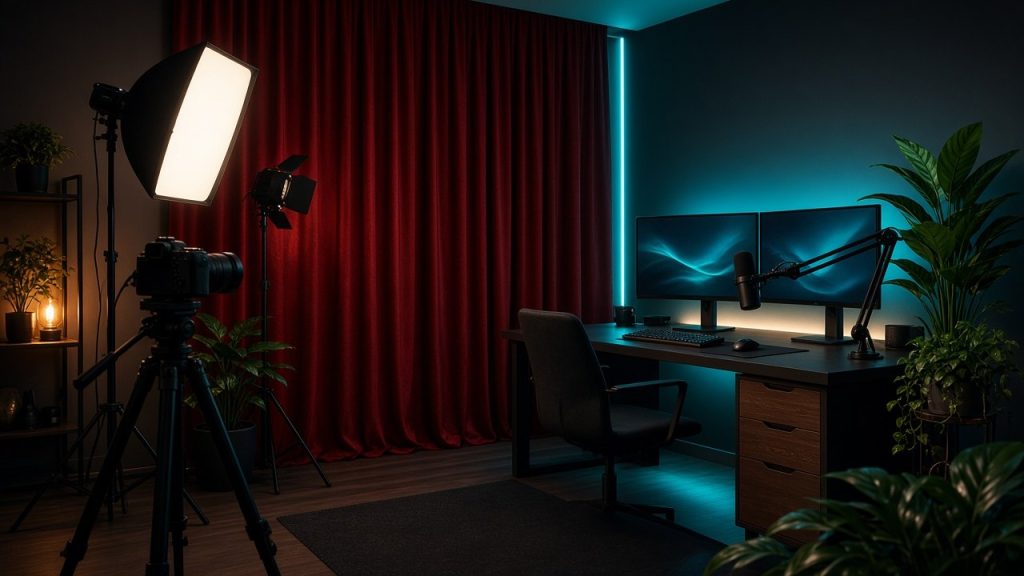
Building a home cam studio is the single most important technical step a new performer can take toward professional consistency. While high-end equipment is not strictly necessary on day one, understanding the fundamentals of framing, audio clarity, and network reliability separates successful broadcasts from chaotic, amateur streams. This comprehensive guide walks you through the core components needed to construct a functional, durable broadcasting space in your own home. Whether you are exploring platforms like Stripchat or testing options on Camsoda, your equipment forms the invisible foundation of your viewer retention. By prioritizing quality where it counts, you reduce technical frustration and present a polished environment that keeps visitors engaged. Beyond merely turning on a webcam, building a true studio environment involves deliberate choices regarding spatial layout, hardware compatibility, and maintenance routines. When your technical foundation is solid, you can direct 100 percent of your mental energy toward engaging with your audience, managing your show structure, and driving revenue.
Hardware Essentials: Choosing Your Computer and Camera
Selecting a Reliable PC or Mac
Your computer handles video encoding, chat management, browser tabs, and software tools simultaneously. While you do not need a multi-thousand-dollar rendering machine, an outdated laptop will struggle with thermal management during long streaming sessions. Look for a modern processor with multiple cores and at least sixteen gigabytes of RAM to ensure smooth performance. If you are comparing setups, you can read more about technical workflows in our guide on Browser Broadcast vs OBS for Cam Models. A dedicated graphics card is also a strong asset, as it offloads the heavy lifting of video processing from your central processor. Laptops prone to overheating should be elevated using a cooling pad to prevent performance throttling mid-broadcast. Maintaining clean internal cooling fans and ensuring your operating system is up to date will prevent unexpected crashes during peak traffic hours.
Webcams Versus Dedicated Mirrorless Cameras
Many beginners start with a standard high-definition USB webcam, which offers simple plug-and-play functionality across various broadcasting portals. As your studio matures, upgrading to a mirrorless or DSLR camera via a clean HDMI capture card provides dramatic improvements in color depth and low-light performance. Proper sensor size allows for a shallow depth of field, keeping you in sharp focus while softly blurring the background of your room. Whichever route you take, ensure your hardware connects securely and maintains a steady frame rate without stuttering. Investing in a dummy battery or constant power supply for a dedicated camera prevents sudden shutdowns during long private sessions. Fine-tuning manual focus and aperture settings on a mirrorless device also gives you complete control over your professional aesthetic.
Lighting Techniques for Accurate Skin Tones
Softboxes and Ring Lights
Lighting is often more important than the camera itself when it comes to visual quality. Direct overhead lighting casts harsh shadows under the eyes and nose, which degrades the overall broadcast aesthetic. Investing in a pair of softbox lights or a large ring light positioned directly behind or beside your monitor creates an even, flattering wash. Many creators experimenting with niche aesthetics consult resources like Alt vs Glam Branding for Cam Models to determine how lighting moods complement their chosen personal style. Diffused light sources soften facial features and eliminate unflattering glare. Experimenting with different distances between your light panels and your seating position allows you to control the exact intensity and warmth of your exposure.
Color Temperature and Positioning
Adjusting color temperature allows you to move from clinical daylight hues to warmer, more intimate indoor tones depending on your room’s mood. Position your primary key light slightly above eye level and angled toward your face to minimize glare, especially if you wear glasses. A secondary fill light placed on the opposite side helps eliminate residual shadows in the corners of your recording area. Taking time to test these angles before going live prevents washed-out frames or heavy color distortion. Bi-color LED panels give you the flexibility to shift Kelvin temperatures dynamically as your room’s ambient light changes from day to night. Achieving balanced contrast ensures that your camera’s color sensor captures skin tones accurately without oversaturation.
Audio Clarity: Mics and Room Acoustics
Viewers tolerate minor video compression far more easily than they tolerate distorted, hollow, or overly quiet audio. Built-in computer microphones pick up ambient noises such as computer fan hums, street traffic, and keyboard clicks. Using a dedicated USB condenser microphone or a lavalier microphone positioned close to your voice source makes a noticeable difference. To learn how general platform features operate around audio-heavy interactive shows, review How Live Cam Sites Work: Public Rooms, Privates, and Tokens for structural context. Proper gain staging ensures your voice remains rich and intelligible without peaking into uncomfortable distortion during moments of excitement. Pop filters and shock mounts further isolate your microphone from physical desk vibrations and harsh plosive sounds.
Soft furnishings inside your studio space act as natural sound dampening tools to reduce echo. Hard wooden floors and bare walls bounce audio waves, creating an unpleasant reverberation that tires the listener’s ears. Adding rugs, heavy curtains, or acoustic foam panels absorbs stray frequencies and delivers a clean vocal output. Clean audio ensures that your interactions remain crisp, professional, and comfortable for long-term participants. Even simple additions like placing a thick blanket just outside of the camera frame can dramatically reduce unwanted room echo. Treating your studio space acoustically transforms your broadcast from a casual bedroom chat into a polished production.
Network Reliability and Bandwidth Management
A high-definition broadcast demands a stable internet connection with robust upload speeds, not just fast download metrics. Wi-Fi networks are prone to unexpected interference, packet loss, and latency spikes that can freeze your stream mid-interaction. Whenever possible, run a direct Ethernet cable from your router straight into your broadcasting computer for maximum stability. Testing your bitrate regularly ensures your video feed remains smooth even during peak traffic hours on major networks like Chaturbate or Bongacams. Monitoring your upload stability helps you find the sweet spot between high-resolution video output and reliable frame delivery. If other devices on your local network consume heavy bandwidth, scheduling updates or downloads outside of your streaming windows prevents sudden connection drops.
Studio Environment and Background Styling
Your background tells a story about your professionalism and helps define your visual brand within a crowded digital marketplace. Cluttered rooms distract viewers from the main attraction, whereas thoughtfully curated decor enhances the overall atmosphere. Neutral painted walls, neatly arranged shelving, or tasteful textiles provide depth without causing visual fatigue. If you want to understand how audiences navigate different room styles, our article on New Cam Models vs Popular Rooms provides helpful perspective. Incorporating subtle background lighting, such as warm LED strip accents, can add dimension and make your studio feel like a professional set. Regularly reassessing your background styling ensures your space remains clean, inviting, and aligned with your evolving brand identity.
Privacy is another critical consideration when designing your physical studio environment at home. Ensure that windows facing public areas are properly frosted or covered with blackout curtains to block unwanted outside visibility. Securing your workspace against sudden interruptions from housemates, family members, or pets is essential for maintaining an uninterrupted workflow. A locked door policy and clear personal boundaries protect both your privacy and the professional continuity of your shows. Soundproofing your door seals also prevents household noises from bleeding into your microphone during quiet moments. Prioritizing physical security gives you the peace of mind needed to perform confidently without external distractions.
Studio Gear Comparison
| Equipment Category | Entry-Level Option | Professional Upgrade |
|---|---|---|
| Camera | 1080p USB Webcam | Mirrorless Camera with Capture Card |
| Lighting | Single Ring Light | Dual Softbox Key Lights with Fill |
| Audio | Built-In Mic / Basic Headset | USB Condenser Mic with Boom Arm |
| Connection | Standard Wi-Fi Router | Hardwired Gigabit Ethernet |
Frequently Asked Questions
Do I need an expensive camera to start camming?
No, many beginners start with a standard high-definition USB webcam and upgrade later once they establish a regular broadcast routine. Focusing on lighting and framing often yields a bigger visual improvement than buying a high-end camera right away.
Why is my stream lagging even with fast internet?
Lag is often caused by unstable Wi-Fi connections, high computer CPU usage, or broadcasting at a bitrate that exceeds your network’s upload capacity. Switching to a hardwired Ethernet connection usually resolves most transmission instability issues.
How can I reduce echo in my studio room?
Adding rugs, thick curtains, upholstered furniture, or acoustic foam panels helps absorb sound reflections and improves vocal clarity. Bare walls and hard floors are the primary culprits behind hollow-sounding audio.
Is natural light enough for a home studio?
Natural light changes constantly throughout the day and weather conditions, making artificial studio lighting much more reliable for consistent video quality. Relying solely on windows can leave your footage underexposed or severely washed out as the sun shifts.
How do I handle background privacy while streaming?
Use a clean, neutral backdrop, position your camera tightly, and ensure windows are covered with heavy blinds or privacy film. Establishing a locked door policy and keeping your physical space restricted to your work hours ensures complete confidentiality.
Bottom line
Creating a reliable home cam studio requires careful attention to lighting, audio, and network stability rather than excessive spending. By investing incrementally in your setup, you ensure a smooth, professional experience for yourself and your audience. Taking the time to properly configure your hardware, eliminate background noise, and secure your physical workspace pays off through higher viewer retention and long-term streaming success.