
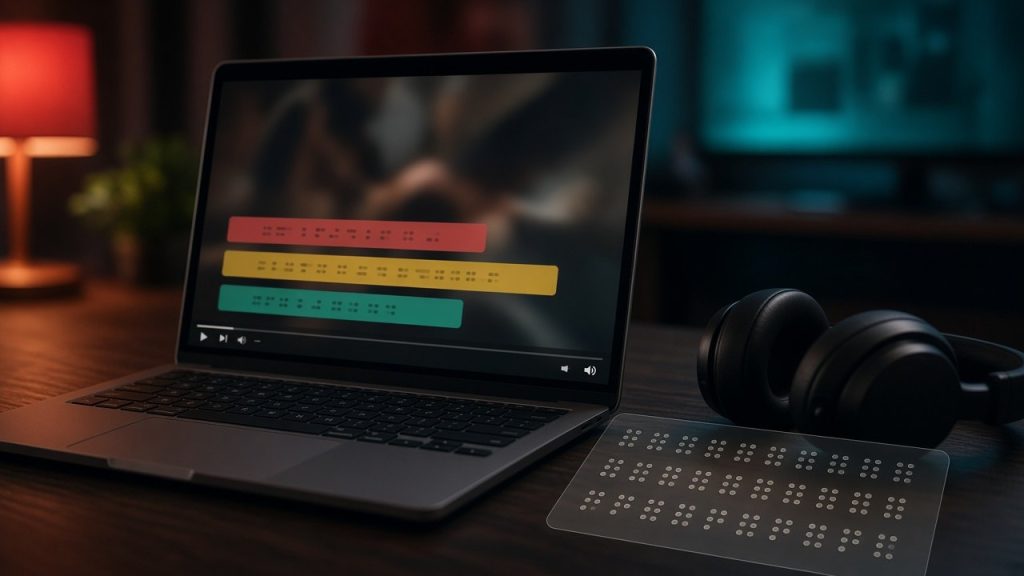
Adult entertainment platforms have historically lagged behind mainstream digital media when it comes to web accessibility. For viewers with visual, auditory, or motor impairments, navigating a busy live streaming room can present frustrating technical barriers. As an independent review magazine, we believe that adult content should be accessible to all adult consumers regardless of physical ability. This guide examines the current state of digital accessibility across major streaming platforms, focusing on practical workarounds, interface limitations, and how modern sites handle assistive technologies. Building an inclusive digital environment requires a comprehensive look at how code, interface design, and hardware intersect to create functional barriers or seamless experiences for everyday users.
When developers design live video streaming applications, they often prioritize visual flair, high-resolution media delivery, and rapid interactive elements like animated tip counters and flash sales. Unfortunately, these design choices frequently neglect standard web accessibility guidelines established by organizations like the World Wide Web Consortium. For individuals with disabilities, this oversight transforms a simple leisure activity into a maze of unlabelled buttons, invisible focus states, and unpredictable audio feeds. Our goal is to dissect these pain points systematically, offering actionable advice on how to navigate existing platforms safely, configure custom browser tools, and advocate for better digital standards across the entire adult entertainment ecosystem.
Understanding Assistive Technology on Modern Platforms
Screen readers, keyboard-only navigation tools, and voice control software are essential for millions of internet users. Unfortunately, many adult sites rely heavily on non-standard JavaScript elements, dynamic canvas video containers, and unlabelled icon buttons. When a platform fails to implement proper aria labels or semantic HTML tags, a screen reader simply announces generic terms like button or graphic instead of identifying functional controls like token tipping or audio adjustment. Understanding how these platforms process inputs can help you choose interfaces that are easier to navigate without a standard mouse setup.
Assistive technologies rely on the Document Object Model to interpret what is happening on a web page and relay that information to the user through synthesized speech, refreshable braille displays, or alternative input methods. On many modern cam sites, however, video streams and chat logs update dozens of times per second. This constant DOM mutation can overwhelm older screen readers, causing application crashes, frozen tabs, or endless audio loops that repeat incoming chat messages indefinitely. To mitigate these issues, users often need to configure custom filter scripts or utilize advanced browser extensions that stabilize the underlying code before it reaches the assistive software.
Screen Reader Compatibility Challenges
Most live streaming pages feature multiple concurrent feeds, high-velocity chat text streams, and flashing promotional banners. For users relying on screen readers, this creates immense auditory clutter and navigation traps. To maintain a smooth experience, you may need to disable real-time public chat or open the video feed in a dedicated standalone media player window if the platform permits. Platforms with simpler layouts often yield better compatibility with standard assistive tools compared to heavily gamified hubs.
When a screen reader encounters an unlabelled graphical element representing a tip menu or a private show request, the user receives zero context regarding the cost or function of that button. Navigating this environment safely requires patience and the willingness to map out the page structure manually. Many visually impaired users find success by using browser developer tools to inspect page elements, identifying aria-hidden attributes, and writing custom user stylesheets that strip away decorative clutter, leaving only the essential video container and text chat components active on the screen.
Keyboard Navigation and Focus States
If you cannot use a traditional computer mouse, relying strictly on the tab key to move through page elements is critical. Many platforms lack visible focus indicators, making it nearly impossible to tell which button or menu item is currently selected. Before committing funds to any platform, testing the basic keyboard workflow can save you significant frustration. For a foundational understanding of how these sites operate behind the scenes, you can read our guide on how live cam sites work.
Keyboard navigation failure is one of the most widespread accessibility shortcomings in the adult streaming sector. When a user presses the tab key, the focus should move logically from the top navigation bar down to the video player, then to the chat input box, and finally to the tipping controls. Instead, users frequently experience focus traps where the cursor gets stuck inside an infinite loop within an embedded chat widget or a rotating promotional banner carousel. Identifying these traps during free public viewing sessions prevents accidental token expenditures and ensures that you can exit problematic rooms quickly using standard keyboard shortcuts like alt-left arrow.
Auditory Accessibility and Live Captions
Audio is a primary component of live broadcasting, yet millions of deaf or hard-of-hearing adults enjoy adult entertainment visually. Real-time captioning remains exceptionally rare across the live streaming industry due to the spontaneous nature of user-generated broadcasts. Most performers speak off-the-cuff, and automated captioning engines struggle significantly with adult slang, background music, and varying acoustic environments.
The lack of native captioning stems from both technical limitations and economic factors. Live automatic speech recognition services require significant processing power and API integration costs, which platform operators rarely subsidize for independent broadcasters. Furthermore, the rapid slang, whispering, and expressive audio common in adult content often produce incoherent text output when passed through generic transcription models. Consequently, deaf and hard-of-hearing consumers must rely heavily on alternative engagement methods to understand performer personalities, establish consent during shows, and negotiate custom requests.
Alternative Communication Channels
Because live automated captions are rarely integrated into standard broadcasting suites, viewers typically rely on public and private text chat. Performers often keep a close eye on the text feed to communicate requests, pricing rules, and general banter with the audience. Reading how to read a cam model’s rules can help you understand text-based interaction standards before entering a broadcast room. If you prefer platforms with active and responsive text environments, checking out reviews for Stripchat can reveal options with robust messaging tools.
Text chat serves as the ultimate equalizer in live cam environments, allowing deaf and hard-of-hearing viewers to participate fully in the show dynamic. When entering a room, introducing yourself briefly via text and mentioning that you are reading chat responses sets a clear communication baseline. Most professional performers appreciate this clarity and will adjust their pacing to ensure they address your text messages promptly. Additionally, utilizing private messaging features within these rooms provides a direct, uninterrupted line of communication that bypasses the chaotic speed of public chat feeds.
Volume Controls and Audio Customization
For viewers with residual hearing or specific sensory preferences, individual volume sliders for stream audio, tip alert sounds, and background notifications are vital. Some streaming environments lump all audio outputs into a single master channel, making it difficult to amplify a performer’s voice over loud alert chimes. Choosing platforms that offer granular audio adjustments can vastly improve the viewing experience for users with specific auditory needs.
When alert sounds blast unexpectedly at high decibels, it creates a jarring sensory experience for users wearing specialized amplification headsets or hearing aids. Robust platform interfaces should provide independent volume mixers allowing users to mute tip animations, lower background music tracks, and isolate the performer’s vocal track. If a platform lacks these native volume controls, users can employ system-level audio mixing software or browser volume-boosting extensions to tailor the soundscape precisely to their hearing thresholds, ensuring a comfortable and safe listening environment.
Motor Impairments and Alternate Input Devices
Clicking tiny icons, managing rapid token transactions, and interacting with interactive hardware features require precise motor skills. Many platforms incorporate gamified tipping menus with small clickable targets that frustrate users with tremors or limited hand mobility. Fortunately, alternative options exist for viewers who use switch controls, eye-tracking software, or head mice.
For individuals managing conditions such as cerebral palsy, muscular dystrophy, or repetitive strain injuries, standard mouse and keyboard setups can be painful or entirely unusable. Modern operating systems offer robust accessibility suites, including on-screen keyboards, switch access mapping, and gaze tracking. However, these tools require underlying web elements to be properly sized and spaced. When adult platforms cluster dozens of tiny token tipping buttons together in a cramped sidebar layout, alternate input users frequently misclick, resulting in accidental financial transactions or erratic interface behavior.
Interface Scaling and Browser Zoom
Enlarging the browser interface helps mitigate issues with small interactive elements, but poorly coded responsive layouts can break entirely when zoomed past a certain threshold. High-contrast display modes and custom browser extensions can also alter overly bright white backgrounds into darker, eye-friendly palettes. When looking for sites with clean layouts that tolerate high zoom levels without collapsing menus, reviewing Chaturbate provides insight into interface flexibility.
Utilizing native browser zoom beyond 150 percent often triggers mobile responsive views on desktop screens, which reorganizes menus into hamburger icons and dropdown drawers. While this can declutter the screen, it sometimes hides essential settings behind multiple nested clicks. Users with motor impairments should experiment with CSS injection extensions that allow them to selectively enlarge specific page components, such as the chat box or the video canvas, without triggering destructive layout reflows that disrupt the entire streaming interface.
Hardware Integration and Tactile Feedback
Many modern viewers enjoy interactive peripherals that sync directly with broadcasts to provide physical feedback during shows. Understanding the technical side of these devices is covered thoroughly in our resource explaining what Lovense levels mean for viewers. Configuring these devices correctly can compensate for certain sensory preferences, creating an immersive experience that aligns with individual physical requirements.
Tactile peripherals and haptic feedback devices offer an engaging sensory dimension that transcends traditional audio-visual media. For viewers with limited mobility or sensory processing variations, synchronized hardware can bridge the gap between passive observation and active participation. Setting up these devices requires careful software bridging between the browser interface and local hardware controllers. Ensuring that your browser permits WebSocket connections and local peripheral access is essential for maintaining a stable, responsive connection throughout the duration of the broadcast session.
Platform Comparison for Accessibility Features
Different sites approach web standards with varying levels of commitment. Some invest in semantic markup and responsive design, while others prioritize flashy animations that hinder screen readers. The comparison table below highlights how key platforms handle fundamental accessibility metrics.
| Platform | Screen Reader Support | Text Chat Clarity | Keyboard Navigation |
|---|---|---|---|
| Chaturbate | Moderate | High Volume | Basic Support |
| Stripchat | Moderate | Dynamic | Variable |
| LiveJasmin | Basic | Structured | Moderate |
| Flirt4Free | Basic | Clean | Basic Support |
Evaluating these platforms side by side reveals a clear industry trend: while none of these sites achieve total compliance with strict government web accessibility standards, some offer significantly better modular layouts than others. Platforms featuring minimalist interfaces and modular chat boxes tend to accommodate screen readers and zoom tools much better than heavily gamified hubs packed with animated flash elements. Reviewing these metrics helps consumers make informed decisions before investing time and money into a specific streaming destination.
Navigating Private Shows and Special Requests
Entering a private or ticketed show introduces additional navigation pressures, particularly when time limits and token deductions occur in real-time. Users with disabilities may require extra time to type out special requests or confirm settings before a private session begins. Communicating clearly with the performer via text chat before initiating private rooms ensures both parties are aligned.
Private rooms often operate on strict countdown timers and automated billing increments. If a user requires extra time due to slower typing speeds or alternative input navigation, the pressure of a ticking clock can induce severe anxiety. Preparing your requests in advance using a local text editor and pasting them into the chat window immediately upon entering a private room is an effective strategy to save time and ensure your specific boundaries and desires are communicated accurately.
Setting Clear Expectations
Performers are generally accommodating when viewers explain their preferences or limitations upfront in a polite manner. If you need to manage your interactions carefully during a busy broadcast, learning small tips in a busy cam room can help you stand out without feeling overwhelmed by high-speed public feeds. For those seeking premium private environments with responsive support teams, checking out LiveJasmin offers a more structured interface.
Establishing rapport with performers relies on mutual respect and open communication. When viewers transparently share their physical or cognitive requirements, most professional models respond with patience and creativity. Whether it involves slowing down conversation speed, utilizing specific visual cues, or managing token transfers in manageable increments, clear dialogue transforms a potentially stressful broadcast into an enjoyable, customized experience for everyone involved in the session.
Customer Support and Technical Assistance
When accessibility barriers prevent you from using a site properly, contacting customer service is the most direct path to a resolution. Knowing what to tell cam support ensures that technical teams receive specific details regarding browser versions, screen reader types, and exact error locations. If you are exploring alternative high-end broadcast options, reading reviews for Flirt4Free can guide you toward platforms with reliable user assistance.
Platform support desks are accustomed to handling billing inquiries and video playback errors, but accessibility bugs often require more detailed technical descriptions. When submitting a support ticket, provide exact browser build numbers, operating system details, and the specific names of any assistive technologies you are running. If a button is unlabelled or a keyboard focus trap prevents you from utilizing a paid feature, documenting the issue with screenshots or console logs helps support engineers escalate the bug to their development teams for future patching.
Frequently Asked Questions
Do major live cam sites feature built-in screen reader compatibility?
Most platforms lack full native optimization for screen readers, though basic navigation is usually possible using standard browser accessibility trees and modern assistive software.
Are live captions available for performers who speak during streams?
Automated or manual live captions are exceptionally rare on cam sites, meaning most deaf or hard-of-hearing viewers rely entirely on text chat for communication.
How can I make small interface buttons easier to click if I have motor impairments?
Using built-in browser zoom, high-contrast modes, and custom browser extensions can significantly enlarge interactive elements and improve navigation efficiency.
Can I use keyboard shortcuts to tip performers or manage tokens?
Keyboard shortcut support varies wildly by platform, so testing your setup with simple tab navigation in a free public room before spending money is strongly recommended.
What should I do if an accessibility barrier prevents me from using a paid feature?
Reach out directly to the platform help desk with detailed technical information about your browser, operating system, and assistive tool to request assistance or refunds.
Bottom line
Navigating adult entertainment sites with a disability requires patience, experimentation, and careful platform selection. While the industry still has significant room for improvement in web accessibility, many sites offer functional workarounds through text chat, browser zoom, and adaptable interfaces. By choosing platforms that prioritize clean design and responsive support, viewers of all abilities can enjoy a satisfying and customized streaming experience.
As digital standards continue to evolve, consumer advocacy plays a vital role in encouraging adult platforms to adopt inclusive design principles. By demanding better semantic HTML, reliable keyboard focus states, and scalable interface elements, users can help shape a more accessible future for online entertainment. Until universal compliance becomes standard practice, utilizing the practical workarounds, browser tools, and platform comparisons outlined in this guide will help ensure a smoother, more enjoyable streaming journey.